Use Our Ready Made Website Skins
Do it yourself websites that don't look like you did it yourself . Get a professional looking website without paying thousands of dollars for a designer. Choosing one of our professionally designed skins is the first step in creating your site.
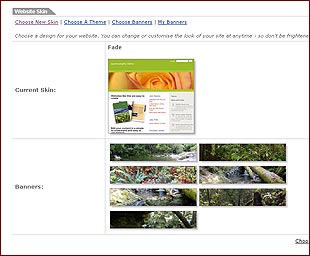
You can add your own personal banners and graphics or choose a specific colour scheme, utilising our 'point and click' website management system.
You can change the entire look and feel of your website at any time by selecting a different skin. The changes take effect immediately, so you can experiment to find the right look for your site.
If you don't like the new look, you can change to a new skin with a single click of the mouse.
Create your own banners and upload them to personalise your skin or choose from our pre-loaded banners that encapsulate a range of themes.
If you have a particular need for a certain style for your website, you can employ our designers to develop a skin specific for your use.
-----------------
Choose a Name and Address for Your Website
When you first start to build your website we give you a web address that you can distribute and use to access your site on the Internet. This address is a sub address or sub domain of the burgundysky domain. for example, “www.mysite.burgundysky.com”. You choose the “ mysite” part of the address.
You can keep this address for as long as you like or you can change the address of your website by registering a domain name.
For example, you might want to have an address like www.mysite.com or www.mysite.com.au .
Using an address specific to your website makes it easier for people to remember and makes your site more unique and credible.
Once you have registered a domain name of your own, you can use our system to create and manage email accounts associated with that name.
For example, info@mysite.com or sales@mysite.com. You can create as many email accounts as you like.